29+Years
29+Years
29+Years
Special Order
Ships in 1-2 weeks
Condition: New

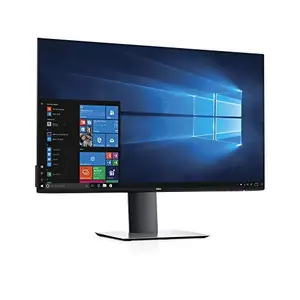
The DELL U2719DC is a 27-inch QHD (2560x1440) LED LCD monitor designed for business and IT professionals requiring detailed visual clarity and efficient workspace management. It offers 1.77 times more detail than Full HD, making it suitable for tasks involving intricate graphics or extensive data. Factory calibrated for 99% sRGB coverage (Delta-E < 2), 99% Rec709, and 85% DCI-P3, it provides consistent and accurate color reproduction for various applications, including video formats. The monitor features In-Plane Switching (IPS) technology for wide viewing angles. Its design includes a thin panel profile, a compact base, and improved cable management to optimize desk space. Ergonomic adjustments such as pivot, tilt, swivel, and height adjustment are supported. Connectivity is streamlined via a single USB-C cable, which transmits power (up to 65W with surge protection), data, video, and audio, reducing cable clutter. The InfinityEdge design supports multi-monitor setups for enhanced productivity, and ComfortView technology reduces blue light emissions for extended viewing comfort.
The DELL U2719DC monitor features a native QHD resolution of 2560 x 1440 pixels, providing 1.77 times more detail than Full HD.
This monitor includes HDMI, DisplayPort, USB, and USB Type-C ports. The USB-C port supports power delivery (up to 65W), data, video, and audio transmission via a single cable.
Yes, the virtually borderless InfinityEdge design is intended to provide a nearly seamless view across multiple monitors, which can increase productivity.
Yes, the monitor can be pivoted, tilted, swiveled, and its height adjusted. The improved design with the hinge on the riser facilitates these adjustments.
U2719DC - Dell 27IN LED LCD MON 25X14 8MS HDMI DPT USB3