29+Years
29+Years
29+Years


6 Available / 1 Sold
Condition: New

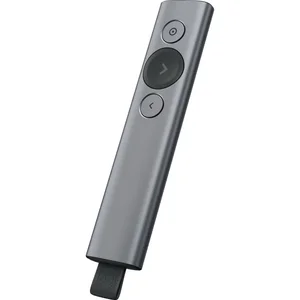
The Logitech Spotlight Presentation Remote, part number 910-004654, is a compact tool designed for business and IT professionals who deliver presentations. It offers an intuitive interface for slide navigation and advanced on-screen control. This remote addresses challenges in maintaining audience focus and managing presentation timing by allowing users to highlight and magnify specific details on screen, or use a mouse pointer mode to interact with embedded content like videos and links. It connects via a USB receiver or Bluetooth, offering up to a 100-foot operating range. The Spotlight remote is compatible with Mac and Windows platforms, supporting common presentation applications such as PowerPoint, Keynote, PDF, Google Slides, and Prezi. Its companion app enables smart time management with customizable vibration alerts, helping presenters stay on schedule. The built-in rechargeable battery provides extended use and fast charging capabilities.
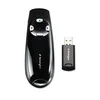
The Logitech Spotlight Presentation Remote, in slate, is a compact, minimalist, and sleek presentation tool with an intuitive slide navigation interface. Spotlight pairs with a companion Logitech Presentation App to provide a highly intelligent on-stage presentation workflow.
Spotlight features three buttons that let you highlight and magnify on-screen details, navigate forward and backward between slides, and control custom functions, such as gesture-controlled scrolling. Spotlight works with Mac and Windows platforms and is compatible with virtually all popular presentation applications, including PowerPoint, Keynote, PDF, Google Slide, and Prezi.
Spotlight literally places a small spotlight over whatever detail you point to in your presentation. You can move the spotlight around, and you can magnify a detail by enlarging the spotlight, which automatically shows a zoomed-in version of the detail. Pressing and holding the top button allows you to choose between a spotlight, magnifier, or mouse pointer.
The spotlight size is easily adjustable so you can highlight small details or entire subjects. At the smallest size, the spotlight resembles a standard dot pointer commonly used in presentations. Furthermore, if there's a video or link in your presentation, you can select the mouse pointer and play and pause the video as well as open the link using the remote, instead having to interrupt your momentum and use a mouse.
The included app allows you to manage your presentations with time milestones and vibration alerts as you move through the slides on the screen. This helps you stay in command of the duration of the presentation so you reach the final slide precisely when you want to.
Spotlight connects instantly via a USB receiver or over Bluetooth and provides up to a 100' operating range (depending on environmental conditions). It's powered by a built-in battery, which provides three hours of operating time after just one minute of charging and up to 3 months of average usage on a full charge. A battery indicator is available to notify you when it's time to recharge.
Use the USB-C charging cable and get 3 hours of presenting after a 1-minute charge, or charge fully in as little as 60 minutes. 1 The device vibrates and the battery indicator glows red when it's time to recharge.
Plug-and-Play Spotlight instantly on any compatible computer via USB receiver, or connect with low energy Bluetooth Smart. Spotlight also keeps your computer connected and awake while you present.


The Logitech Spotlight is compatible with Mac and Windows platforms. It works with popular presentation applications including PowerPoint, Keynote, PDF, Google Slides, and Prezi.
The remote pairs with the Logitech Presentation app, allowing users to set an on-screen timer and configure key timing milestones. It provides up to four vibration alerts directly to the remote to help manage presentation duration.
The built-in rechargeable battery provides three hours of operating time after a one-minute charge, and up to three months of average usage on a full charge. A full charge can be achieved in as little as 60 minutes.
Yes, the remote features a mouse pointer mode. This allows users to play and pause videos, as well as open links directly from the remote without needing to use a separate mouse.
910-004654 - Logitech SPOTLIGHT PRESENTATION REMOTE - SLATE