Technical Specifications
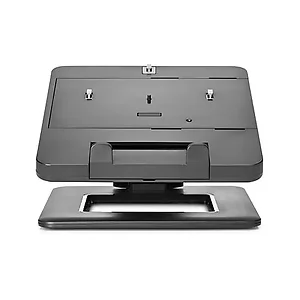
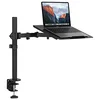
Use the stand with a range of HP notebooks and docking stations. Dependent on your docking station?s ports, you can also connect peripherals such as a keyboard and mouse or external drive for a total workspace solution.Simply snap the docking station into the tray, attach your peripherals, and you?re ready to work every time you dock your notebook.If you prefer to work without a dock, you can park the notebook in the tray on its own. Use the cable routing feature to keep cables out of the way and create a clean working area.Position the stand for the way you work best, with adjustable tilt and adjustable and lockable height, and 360-degree panning of the base so you can rotate your entire workspace.Enjoy the reassurance of a one-year parts replacement limited warranty. Additional support is available (North America only) seven days a week, 24 hours a day by phone as well as through online support forums.The HP Dual Hinge II Notebook Stand is compatible with 12-17.3" HP Notebook PCs and HP 90W/230W Docking Stations, 120w/230W Advanced Docking Stations, UltraSlim Docks, 2570p Docking StationProduct Type Notebook StandMaximum Screen Size Supported 17.3"Maximum Load Capacity 13.60 lb (6.16 kg)Pan Rotation 360° Side to SideDimensions (W x H x D) 8.7 x 14.2 x 11.8" (220.9 x 360.6 x 300.0 mm)Weight 7.90 lb (3.58 kg) approximate